
End-user authentication / Auth0
Qreli includes built-in end-user authentication with Auth0 (https://auth0.com).
You can set this in Deploy > Set:
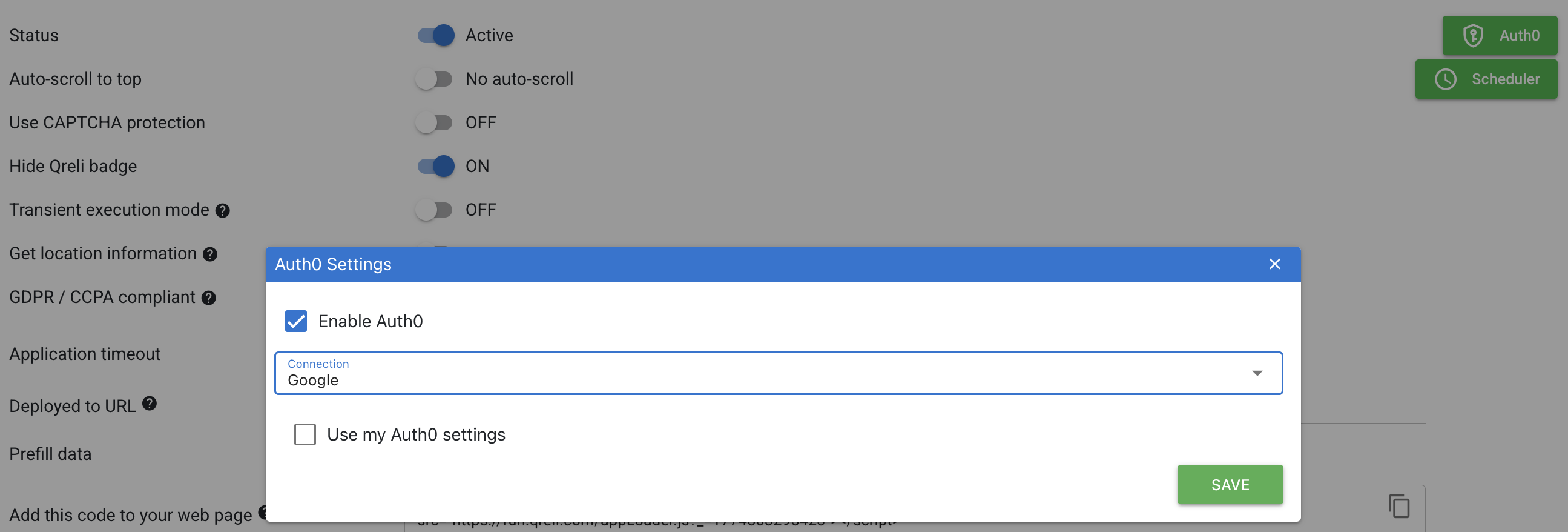
You may use Qreli's own account, or your own settings:
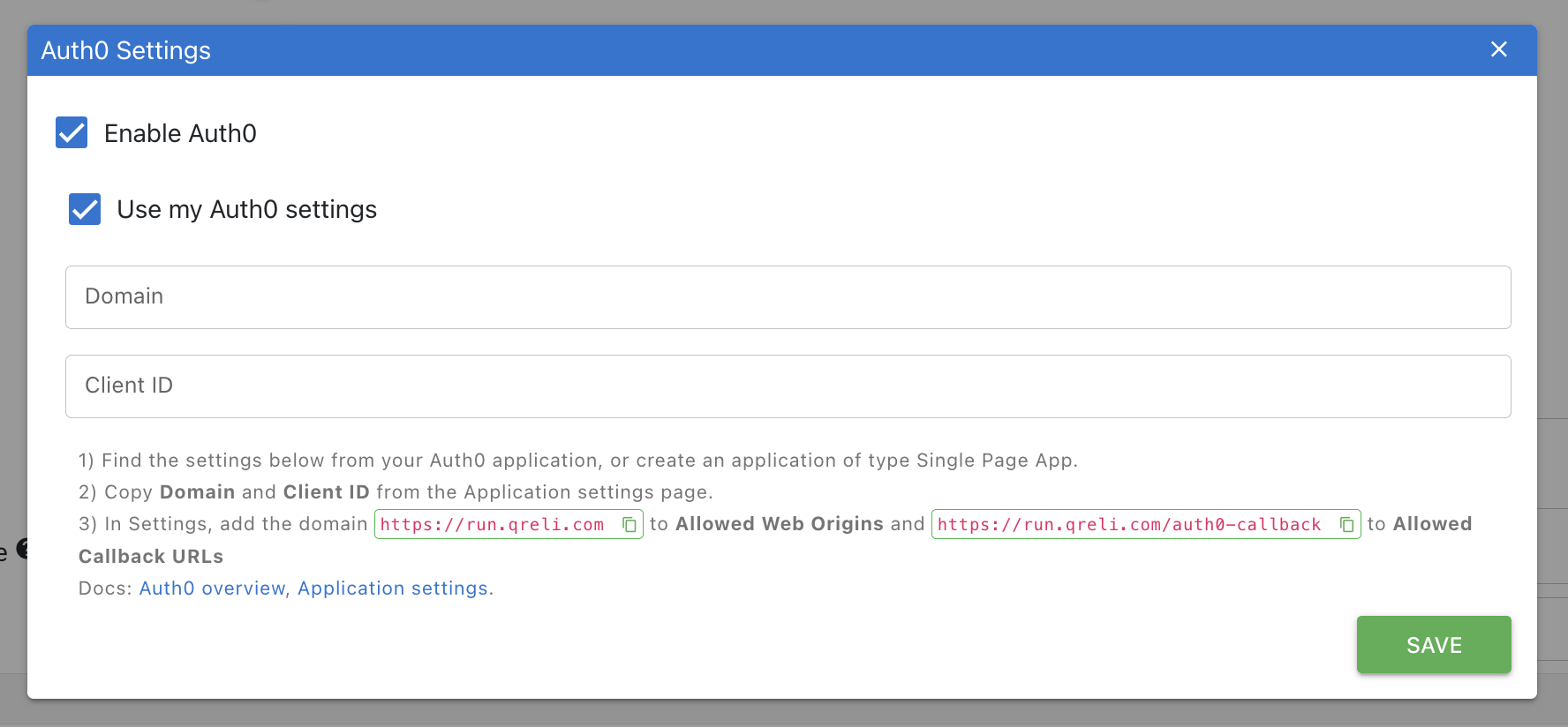
Once set up in Deploy > Set, simply add a button and check the Auth0 option; see the Button definition to learn how to use.
With authentication in place, you can then control authorization as desired.